Make (Integromat)

Make Automation for Workflows With Real Logic

When your process has branches, filters and multiple steps, we build it in Make — powerful visual scenarios that handle the logic Zapier can’t, for less.

How We Build Your Make Workflow

Make, formerly Integromat, is built for the workflows Zapier finds awkward. Instead of a linear list of steps you get a visual canvas where modules connect with lines and data flows through routers, filters, iterators and aggregators. For an ecommerce operation that means one scenario can split an order by warehouse, loop through every line item, and roll the results back up, all inside a single diagram you can actually watch run. AppsyOne shapes these scenarios to mirror your real process.

That visual model is Make's real advantage for complex logic. An iterator can walk each product in a marketplace order, a router can send B2B and B2C invoices down separate paths, and a filter can drop anything that doesn't qualify before it wastes an operation. We use those building blocks to handle branching that would otherwise sprawl into a tangle of separate Zaps, and we keep the whole flow legible so you or we can debug it at a glance months later.

Make also tends to be gentler on cost than Zapier for multi-step work, because it meters operations rather than charging for each app step the same way, so a rich scenario often runs cheaper. We build with that efficiency in mind, trimming needless modules, filtering early and reusing data as it passes through. The result connects your store, marketplaces, accounting and messaging apps into one maintainable scenario, instead of a dozen brittle recipes you have to police by hand.

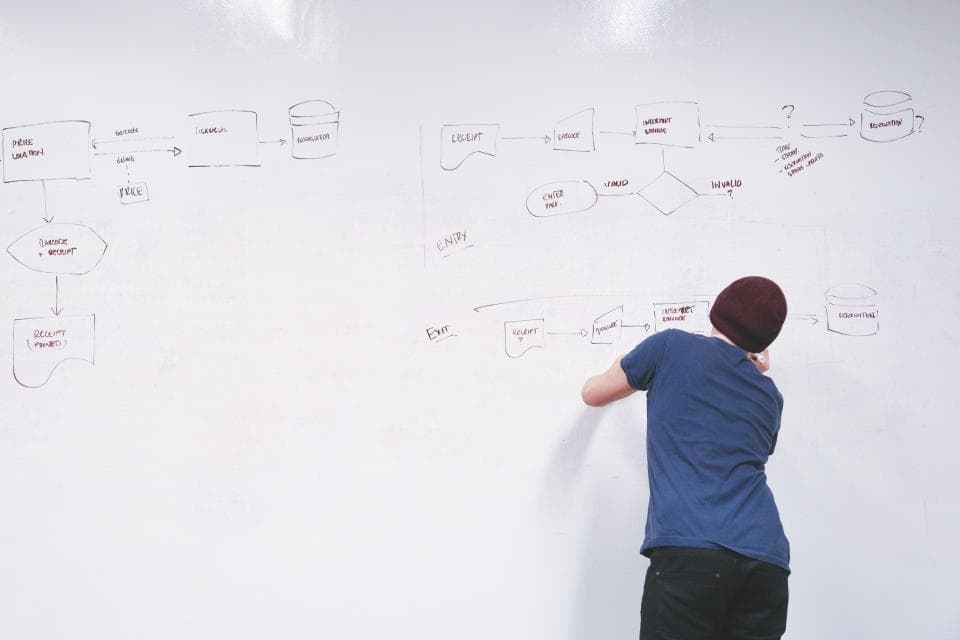
Person in a beanie standing at a large whiteboard covered in a hand-drawn process flowchart of boxes and arrows
Map every step before it runs

Make: Custom-Built vs No-Code DIY

When a quick no-code recipe is the smart call — and when a custom build you own pays off.

Consideration
Custom build (us)
No-code DIY
Complex branching, loops and data reshaping
Make's routers, iterators and aggregators are made for exactly this, and we assemble them into one clear scenario.
A stock template only covers the happy path and breaks the moment your logic needs to branch.
A single linear notification
Building a full scenario for one alert is more machinery than the job needs.
A basic recipe, even from Make's own template gallery, handles this fine, and we'll point you there.
Keeping operation costs down at volume
We prune modules and filter early so each run consumes the fewest operations possible.
An unoptimised scenario fires every module on every run and quietly eats through your operations quota.
Changing or debugging the workflow later
We lay the scenario out to be readable and hand you the map, so future edits stay cheap.
A DIY scenario grown module by module turns into a spaghetti nobody wants to touch.

Apps & Systems We Connect

Your store, marketplaces and the everyday tools your business already runs on.
ShopifyWooCommerceAmazon / eBay marketplacesGoogle SheetsZoho Books / TallyWhatsApp & SMSSlackAirtableRazorpayShiprocket / shipping APIs
Person drawing branches and decision diamonds on a wide whiteboard flowchart showing entry and exit paths
Routers, filters and branches, visually
Close-up of a laptop keyboard and screen displaying a line graph and pie chart with a smartphone beside it
Multi-step scenarios you can watch

Automation Tools We Build This On

We build on the platform that fits your stack and budget — here are the official tools behind this automation.

Make Automation — Questions Businesses Ask

Common questions about our make automation solutions.

More Automation Platforms

Every repetitive workflow is a candidate — here are more we build.

Let's map the automations that will save you the most time

Book a free 30-minute automation audit. We'll find 3 workflows you can automate this month — no obligation, no fixed-price pressure.

Book a Free Automation Audit